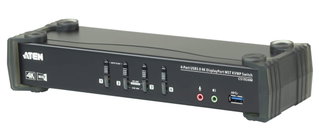
The DisplayPort switch KVMP™ USB 3.0 to 4 ports CS 1914 offers the most recent innovations in terms of desktop KVM switch technology to meet the growing demand for qualityà video and speedà high file transfer to modern computers. The CS 1914 offers higher resolutions up to 3840 x 2160 to 30 Hz, a SuperSpeed USB hub 3.1 Gen 1 with speedà transfer to 5 Gbps and even more ù simplified operations.
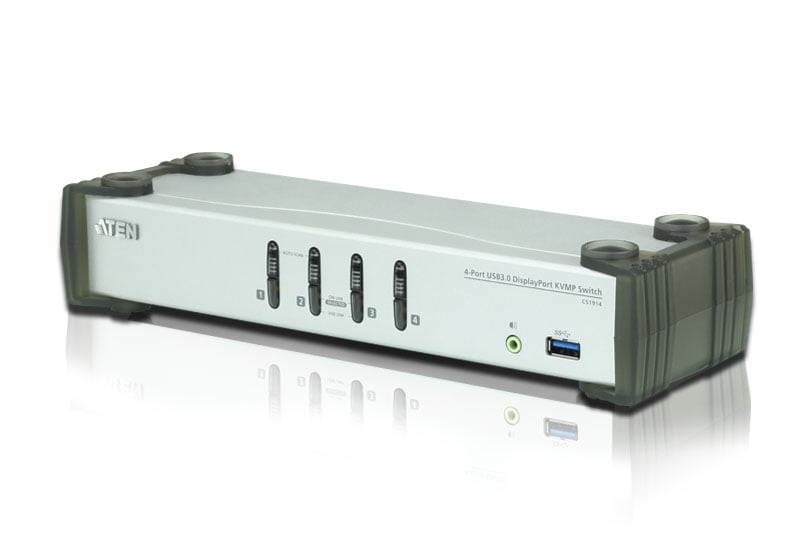
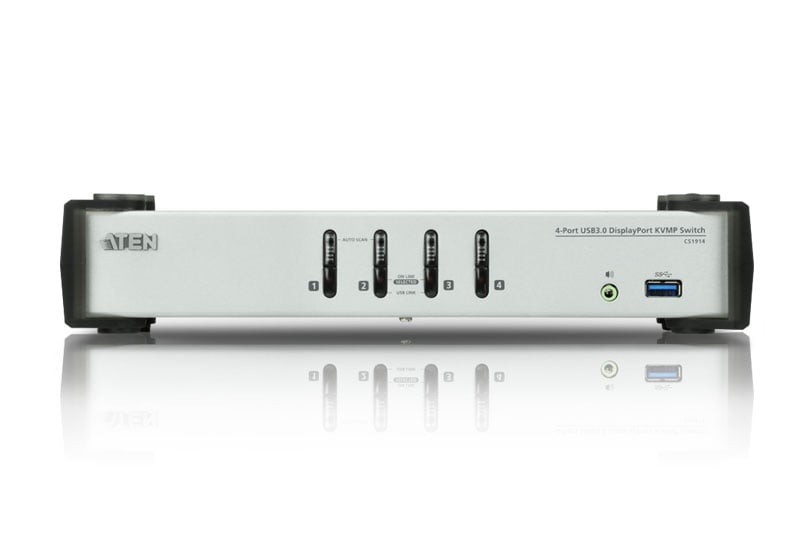
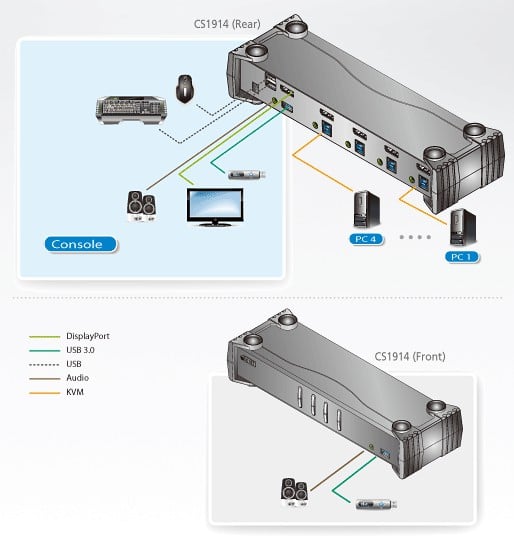
As a KVM switch, CS 1914 offers users access to four DisplayPort computers from a single USB keyboard, USB mouse and monitor. To work easily, CS 1914 provides three convenient exchange methods: push buttons on the front panel, mouse and shortcut keys for quick and flexible control on both computers.
The independent exchange function of ATEN allows KVM control to focus on a computer while the USB device focuses on another computer. This eliminates the need to purchase a separate USB hub or a standalone unit, such as a print server, modem or splitter.
Thanks to the large amount of functions, CS 1914 è designed to exceed all requirements for post-production video, CAD design and applications that require high video accuracy and high speed data transfer. CS 1914 allows you to share audio from each computer and in quality à HD when the transmission è performed via DisplayPort, to offer an excellent audio experience.
Features- Switch DisplayPort KVMP™ a 4 ports with USB hub 3.1 Gen 1 and surround audio 2.1
- A USB console to control 4 computers and 2 USB peripherals
- Selecting your computer using push buttons on the front panel, shortcut keys and mouse*
- Independent switch of KVM, USB and audio
- Superior video quality – up to 3840 x 2160 at 30 Hz
- Hub USB 3.1 Gen 1 to 2 ports with speed & transfer SuperSpeed 5 Gbps
- DisplayPort 1.1 and HDCP Conforms
- Supports HD audio via DisplayPort**
- Complete bass response for surround audio systems to 2.1 high quality channels;
- – ignition detection if a computer is switched off, CS 1914 automatically switches to the next on computer
- Modalità dual DisplayPort (DP++) technology supports HDMI and DVI signals via an adapter from DisplayPort and HDMI/DVI DP+***
- Hot Connectable – add or remove computers without turning off the switch
- Keyboard emulation/bypass function that supports different keyboards for the game
- Mouse emulation/bypass function that supports different mouse drivers and multifuction mouse
- Multiplatform – Windows, Mac and Linux support
- Multilingual keyboard mapping, supports keyboards in English, Japanese, French and German
- Mac*** keyboard support and emulation*
- Modelità Automatic search for monitoring all computers
- Updated Firmware
Note:
* è mouse port exchange supported only in mode à mouse emulation with USB mouse to 3 buttons.
** HD audio via DisplayPort cannot be exchanged independently.
*** Modalità dual DisplayPort (DP++) technology does not require an active adapter for many of the individual screen settings. Active DisplayPort adapters are recommended if you are not è certain of the video source's compatibilityà DP+++.
**** PC keyboard combinations emulate Mac keyboards. Mac keyboards only work with your operating system.
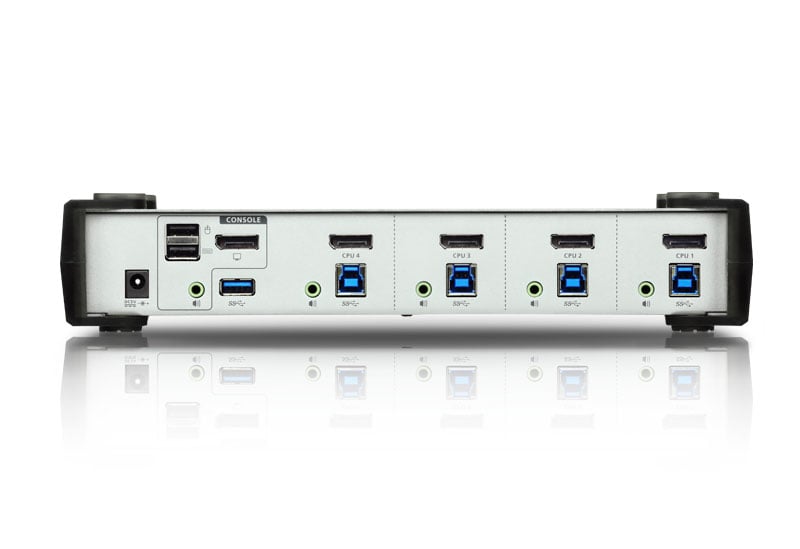
Connectors2 x female type A USB (black)
1 x DisplayPort female (black)
2 x 3,5 female audio connector (green; 1 x front, 1 x rear)
4 x USB 3.1 Gen 1 female type B (blue)
4 x DisplayPort female (black)
4 x Female audio connector from 3,5 mm (green)
- Power supply: 1 x DC connector
- USB Hub: 2 x USB 3.1 Gen 1 type A female (blue; 1 x front panel; 1 x rear panel)
LED- Online / selected 4 (orange)
- USB 4 connection (green)
Environmental features- Operating temperature: 0 - 50 °C
- Storage temperature: - 20 - 60 °C
- Humidità: 0 - 80 % relative humidity without condensation
Dimensions- Width: 27.00 cm
- Depthà: 8.80 cm
- Height: 5.55 cm
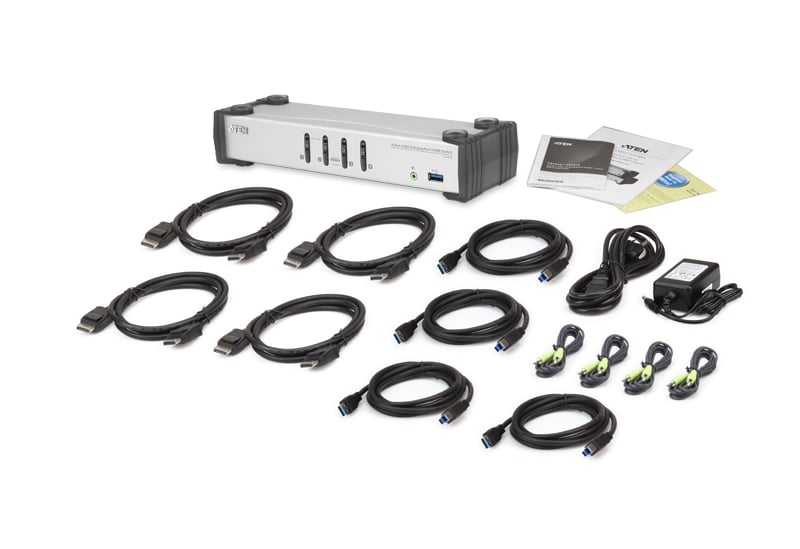
Package contents- 1 x CS 1914 Switch DisplayPort KVMP™ USB 3.0 to 4 ports
- 4 x LIN 5 - 20 K 1 -K 14 G cables DisplayPort
- 4 x LIN 6 - 11 C 1 -E 12 G USB cables 3.0
- 4 x LIN 5 - 0205 - 21 CG audio cables
- 1 x 0 AD 8 - 8005 - 40 MG power adapter
- 1 x user instructions



Comments (0)
Your review appreciation cannot be sent
Report comment
Report sent
Your report cannot be sent